1 / 7 · Click to enlarge
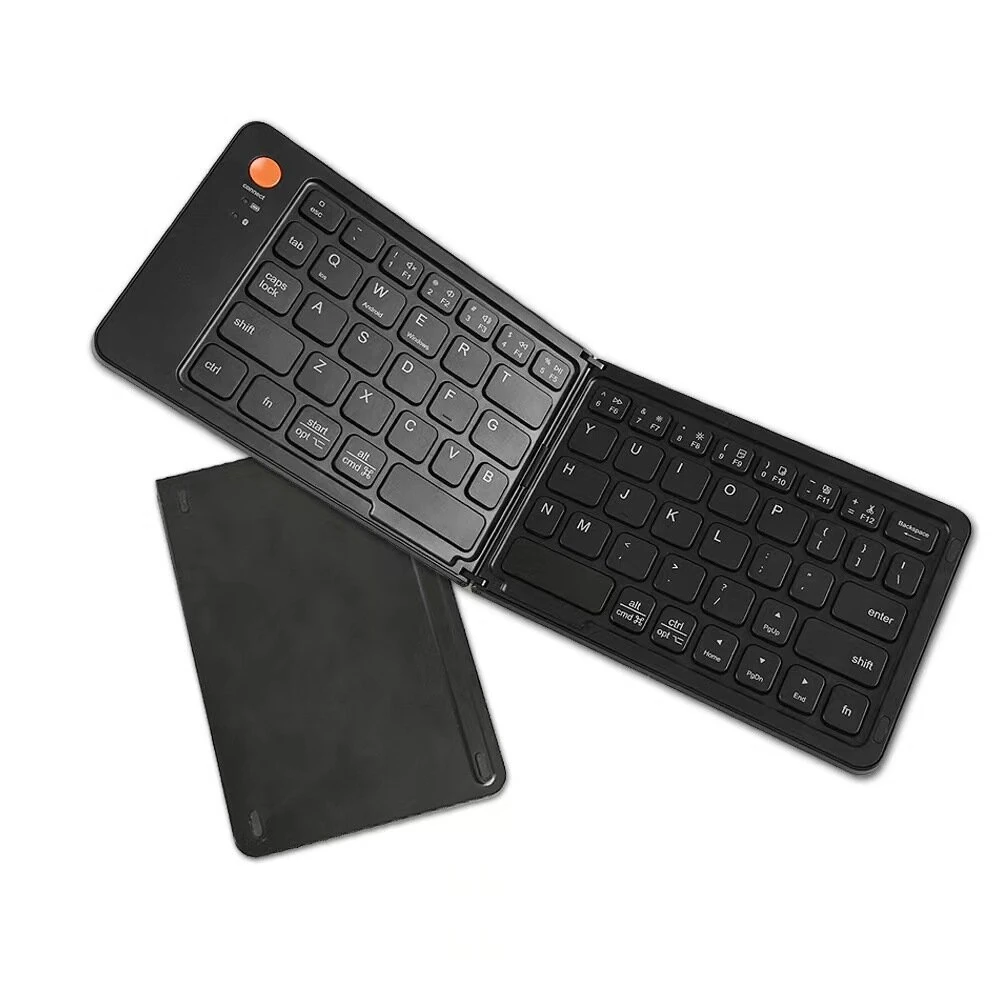
HXSJ P9 Portable Keyboard Mouse Converter for PS4 / Xbox One / PS3 / Xbox 360 / N-Switch(Black)
 P9
P9 P8
P8The HXSJ P9 Portable Keyboard Mouse Converter for PS4 / Xbox One / PS3 / Xbox 360 / N-Switch(Black) is a mid-range computer peripherals designed for everyday users. It features Compatible with: Nintendo: Switch Sony: PS4 , PS3 MicroSoft: XBOX One , Xbox 360 and One Package Weight: 0.23kgs / 0.50lb.
Available Offers
Free Delivery on this order. No minimum order value.
15-Day Easy Returns — hassle-free return & full refund.
Secure Payment — 100% safe checkout with UPI, Cards & Net Banking.
Available Offers
5% Cashback
Pay with UPI & get 5% cashback (up to ₹50) via Razorpay
No-Cost EMI
Available on select bank cards at checkout. 0% interest for 3 months.
Free Shipping
Free delivery on all orders. No minimum order value.
Cash on Delivery
COD available on orders up to ₹5,000 across India.
Quick Specs
Ideal For
About This Product
The HXSJ P9 Portable Keyboard Mouse Converter for PS4 / Xbox One / PS3 / Xbox 360 / N-Switch(Black) is a mid-range computer peripherals designed for everyday users. It delivers reliable performance at an accessible price.
Key Specifications
- Compatible with: Nintendo: Switch Sony: PS4 , PS3 MicroSoft: XBOX One , Xbox 360
- One Package Weight: 0.23kgs / 0.50lb
- One Package Size: 14cm * 13cm * 5cm / 5.51inch * 5.12inch * 1.97inch
- Best Sellers Rank (Computer & Networking): #1696
- Best Sellers Rank (Computer & Networking > Mice & Keyboard): #193
- Best Sellers Rank (Computer & Networking > Mice & Keyboard > Other): #17
Why Buy from Elecvora?
Elecvora sources this product directly, cutting out multiple middlemen. Every order includes free shipping, a 15-day return policy, and secure payment via Razorpay.
1. Material: ABS 2. Product interface: TYPE-C charging interface 3. Rated voltage/current: DC 5V/100mA 4. Product weight: 83g 5. Product size: 8.7x8.7x2.4cm 6. Applicable game consoles: for PS4, for Xbox One, for PS3, for Xbox 360, for N-Switch 7. Product connection instructions: start the console and connect the adapter through the USB TYPE-C data cable (USB port plug connects to the console, TYPE-C port plug connects to the converter) and then the LED white light. Insert the original remote controller to guide the yellow LED light. Insert the keyboard and then the LED red light; insert the mouse and then the LED green light. After all connections, the LED will cycle from yellow, cyan, purple and pink Setting instructions: 1. Set the keyboard and mouse functions 1) Press the keyboard ESC+SPACE (space bar) at the same time to enter the function mode of setting the keyboard and mouse buttons (LED blue light) 2) Press and hold the function key to be set on the original controller, then press the button on the keyboard or mouse to be set, and then release the button on the original controller and the button on the keyboard or mouse 3) After the setting is completed, press the keyboard ESC+SPACE to save the current setting and exit the setting mode 4) For example: press ESC+SPACE (space bar) to enter the setting mode, hold down the A key of the original SWITCH controller, and then press the keyboard F key to release the A key of the original SWITCH controller. The function of the A key of the controller 2. Notes for keyboard and mouse setting function: 1) During the setting process, if the original controller function key or joystick is not pressed to the end, the original setting function of the keyboard or mouse will be cleared 2) When setting the left and right functions of the original joystick on the keyboard, the direction of the joystick must be pushed to the end, and only the four directions of the joystick can be set up, down, left and right. 3) Mouse settings, when the original joystick direction must be pushed to the end, the mouse slides in the corresponding direction, and the mouse only supports the corresponding function of the left and right joystick directions 4) The original handle cross key supports 8 directions setting 3. Mouse speed adjustment: 1) This product supports mouse movement speed adjustment, the default is three gears 2) Shaft speed adjustment: ESC+CAPSLOCK+A/S/D/F/G 4. Mouse Y axis direction switch: 1) In some games, the Y-axis control is opposite to the set value. The game operator can press ESC+R to adjust the Y-axis direction of the mouse according to their needs. 5. Description of function switching: 1) Enter setting mode: ESC+SPACE 2) Default page 1: SC+CTRL+Q 3) Exit setting mode: ESC+SPACE 4) Mouse speed switch: ESC+CAPSLOCK+A/S/D/F/G 5) Y axis plus reverse: ESC+R 6) Page area selection: ESC+ TAB+Q /W/ E/ R/ T 7) Restore the default key value: SC+CTRL+ALT (long press for 3 seconds)