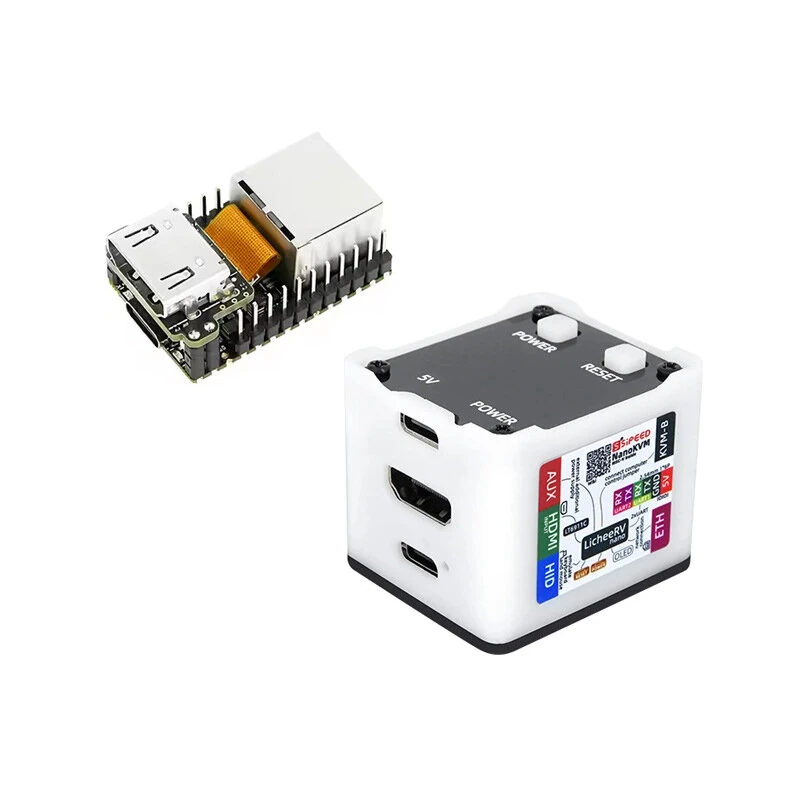
1 / 2 · Click to enlarge
The Sipeed RV D1 1 GB Compute Module (Allwinner D1, USB-C, TF-Card Slot) by Sipeed is a mid-range iot development boards designed for everyday users. It features Item Type: Sipeed and Processor Type: Allwinner D1 chip.
Available Offers
Free Delivery on this order. No minimum order value.
15-Day Easy Returns — hassle-free return & full refund.
Secure Payment — 100% safe checkout with UPI, Cards & Net Banking.
Available Offers
5% Cashback
Pay with UPI & get 5% cashback (up to ₹50) via Razorpay
No-Cost EMI
Available on select bank cards at checkout. 0% interest for 3 months.
Free Shipping
Free delivery on all orders. No minimum order value.
Cash on Delivery
COD available on orders up to ₹5,000 across India.
Quick Specs
Ideal For
About This Product
The Sipeed RV D1 1 GB Compute Module (Allwinner D1, USB-C, TF-Card Slot) by Sipeed is a mid-range iot development boards designed for everyday users. It delivers reliable performance at an accessible price.
Key Specifications
- Item Type: Sipeed
- Processor Type: Allwinner D1 chip — smooth, lag-free performance
- RAM: 1GB DDR3 — effortless multitasking
- Storage Capacity: Onboard TF card slot — plenty of room for files, apps, and media
- USB: USB Type-C
- LED: Power Led, User Led
- Shipping Weight: 0.01 kg
- Shipping Dimensions: 10 × 7 × 2 cm
Why Buy from Elecvora?
Elecvora sources this product directly, cutting out multiple middlemen. Every order includes free shipping, a 15-day return policy, and secure payment via Razorpay.
The Sipeed RV D1 1 GB Compute Module (Allwinner D1, USB-C, TF-Card Slot) is a powerful and versatile computing solution designed for various applications. With its integrated 1GB DDR3 RAM, this module offers enhanced processing capabilities, making it ideal for tasks requiring high computational power. Whether you're working on artificial intelligence, machine learning, image recognition, or other intensive computing tasks, the Sipeed RV D1 Compute Module is up to the challenge.
Featuring a compact form factor, this module can be easily integrated into your projects, providing a seamless computing experience. Its DDR3 RAM ensures smooth and efficient multitasking, allowing you to run multiple applications simultaneously without compromising performance. Whether you're a hobbyist, student, or professional developer, the Sipeed RV D1 Compute Module offers an excellent balance of performance, versatility, and affordability, making it the perfect choice for your next computing project.
Features:
- Ideal for tasks requiring high computational power
- Suitable for artificial intelligence, machine learning, and image recognition
- Compact form factor for easy integration into projects
- DDR3 RAM ensures smooth and efficient multitasking
- Allows running multiple applications simultaneously without compromising performance
Package Includes:
1 x Sipeed RV D1 1 GB Compute Module (Allwinner D1, USB-C, TF-Card Slot)
1 x Pin Header (4 Pin)