1 / 8 · Click to enlarge
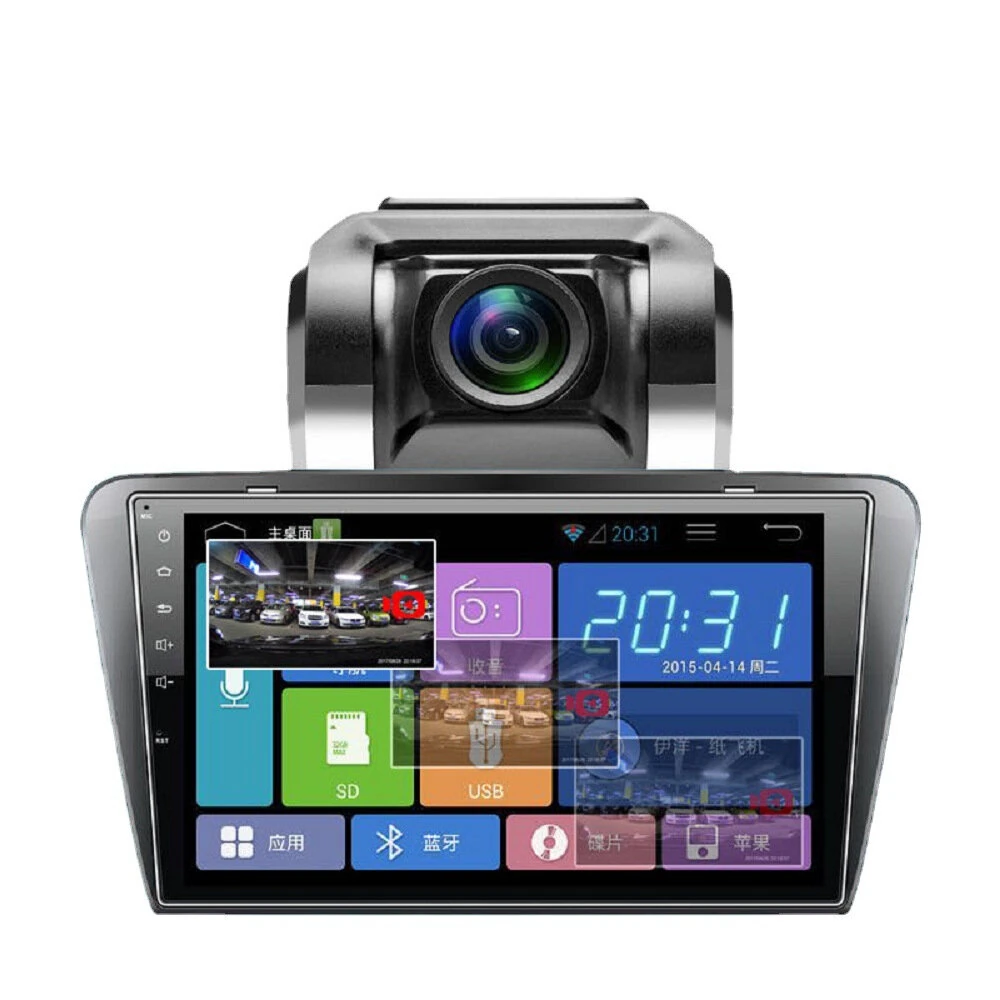
Car HD 7070K Waterproof Night Vision Camera Rear View System Reversing Camera for Hyundai H1
The Car HD 7070K Waterproof Night Vision Camera Rear View System Reversing Camera for Hyundai H1 is a mid-range rear view monitors designed for everyday users. It features One Package Weight: 0.02kgs / 0.05lb and One Package Size: 16cm * 10cm * 6cm / 6.3inch * 3.94inch * 2.36inch.
Available Offers
Free Delivery on this order. No minimum order value.
15-Day Easy Returns — hassle-free return & full refund.
Secure Payment — 100% safe checkout with UPI, Cards & Net Banking.
Available Offers
5% Cashback
Pay with UPI & get 5% cashback (up to ₹50) via Razorpay
No-Cost EMI
Available on select bank cards at checkout. 0% interest for 3 months.
Free Shipping
Free delivery on all orders. No minimum order value.
Cash on Delivery
COD available on orders up to ₹5,000 across India.
Quick Specs
Ideal For
About This Product
The Car HD 7070K Waterproof Night Vision Camera Rear View System Reversing Camera for Hyundai H1 is a mid-range rear view monitors designed for everyday users. It delivers reliable performance at an accessible price.
Key Specifications
- One Package Weight: 0.02kgs / 0.05lb
- One Package Size: 16cm * 10cm * 6cm / 6.3inch * 3.94inch * 2.36inch
- Best Sellers Rank (In Car): #2246
- Best Sellers Rank (In Car > Parking Sensor ): #46
- Best Sellers Rank (In Car > Parking Sensor > Rear View Cameras): #34 — captures sharp, detailed images
Why Buy from Elecvora?
Elecvora sources this product directly, cutting out multiple middlemen. Every order includes free shipping, a 15-day return policy, and secure payment via Razorpay.
1. Adopting CCD digital supplemental light image sensor specially designed for the research and development of automobile rear view, adopting digital supplementary light and software technology, the image is clear during the day, and the illumination is low and strong at night. 2. The viewing angle is 170 degrees and the large viewing range makes reversing safer. 3. The temperature application range of 30 to +60 degrees Celsius is fully in line with automotive environmental applications. 4. With reversing reference line (electronic ruler line), the obstacle distance is clear at a glance. 5. Digital photosensitive chip processing, the night vision effect is obvious 6. Multi-layer waterproof design, real high pressure washing and immersion waterproofing. 7. Installed at the rear handle and license plate lights, equipped with self-tapping screws. 8. The video cable is connected to the monitor, and the power cable is connected to the power supply of the taillight of the car. When the car is reversing, the reversing monitoring system will automatically start to work, and the situation behind the car can be clearly seen. 9. Parameters: Image sensor: PC7070K (note that it is high-definition 7070K) Solution: 7959 Pixel: 720*540 Image format: NTSC/PAL Diagonal viewing angle: 170 degrees Rated voltage: DC12V Protection level: IP67 Standard configuration: camera + 6m video cable (with electronic trigger line) + 1.m DC power cord