1 / 6 · Click to enlarge
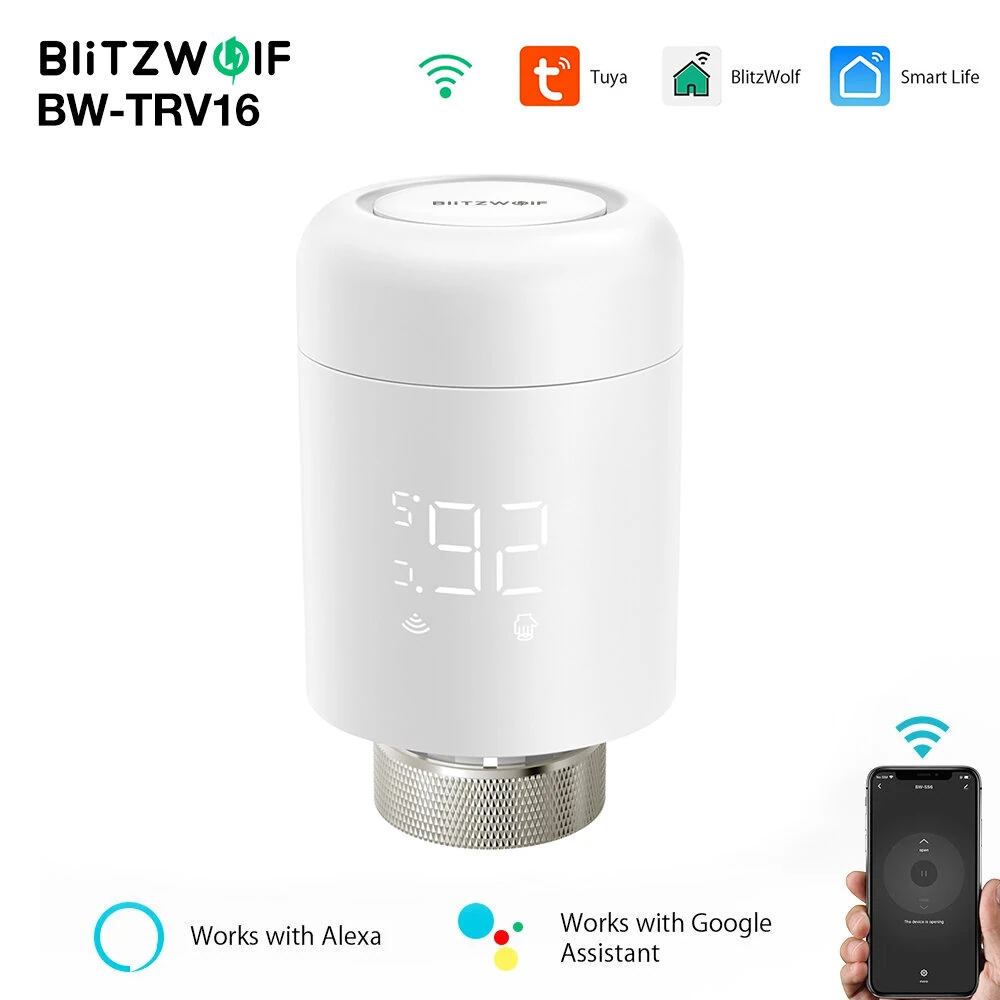
BlitzWolf® BW-TRV16 WiFi Smart Thermostatic Radiator Valve Intelligent Thermostat Temperature Controller Programmable Set Schedules APP & Voice Control Work with Alexa Google Home
5.024 ratingsThe BlitzWolf® BW-TRV16 WiFi Smart Thermostatic Radiator Valve Intelligent Thermostat Temperature Controller Programmable Set Schedules APP & Voice Control Work with Alexa Google Home by BlitzWolf is a premium product designed for premium buyers. It features Brand: BlitzWolf® and Model: BW-TRV16. Customers praise its easy to set up and use and accurate and reliable. 100% of buyers rate it 4★ or above.
Available Offers
Free Delivery on this order. No minimum order value.
15-Day Easy Returns — hassle-free return & full refund.
Secure Payment — 100% safe checkout with UPI, Cards & Net Banking.
Price: ₹15,991
Available Offers
5% Cashback
Pay with UPI & get 5% cashback (up to ₹50) via Razorpay
No-Cost EMI
Available on select bank cards at checkout. 0% interest for 3 months.
Free Shipping
Free delivery on all orders. No minimum order value.
Cash on Delivery
COD available on orders up to ₹5,000 across India.
Quick Specs
Ideal For
About This Product
The BlitzWolf® BW-TRV16 WiFi Smart Thermostatic Radiator Valve Intelligent Thermostat Temperature Controller Programmable Set Schedules APP & Voice Control Work with Alexa Google Home by BlitzWolf is a premium designed for premium buyers. Customers highlight its easy to set up and use and accurate and reliable.
Key Specifications
- Brand: BlitzWolf®
- Model: BW-TRV16
- Wireless Type: WiFi 2.405-2.408GHz — fast, stable wireless internet
- Voice Control: Amazon Alexa, Google Assistant
- APP Control: Tuya Smart APP, Smart Life APP, Blitzwolf APP
- Power: 3(AA)*1.5V LR6 batteries(Not included)
- Standby Current: 6μA Min
- Maximum Thrust: 80N
Customer Verdict
100% of buyers rated this product 4 stars or above. The most appreciated qualities are: easy to set up and use, accurate and reliable.
Why Buy from Elecvora?
Elecvora sources this product directly, cutting out multiple middlemen. Every order includes free shipping, a 15-day return policy, and secure payment via Razorpay.
Features:
- WIFI remote control: No ZigBe hub required! Connect this product directly to Tuya Smart/Smart Life APP/Blitzwolf APP - Child Lock: Prevent children or pets from mishandling or accidental operation of the device - Low battery operation: Even at low battery, it can maintain a strong thrust of 80N, ensuring stable and efficient operation. - Programmable Function: You can set different programming modes for each day of the week according to your schedule.There are 6 time periods per day for you to set.It can help you save more energy. - Alexe/Google Voice control:In addition to control the product from your phone or manually, you can also control through Amazon Alexa and Google Assistant via voice control, freeing your hands and making your life more convenient.
Package Included:
1 x WiFi Smart Thermostatic Radiator Valve
1 x Valve Adapter Set
1 x User Manual
Recommendation: